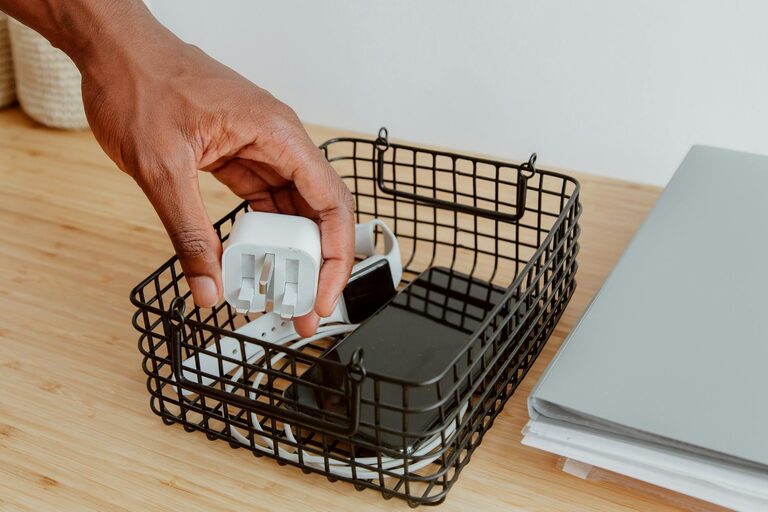
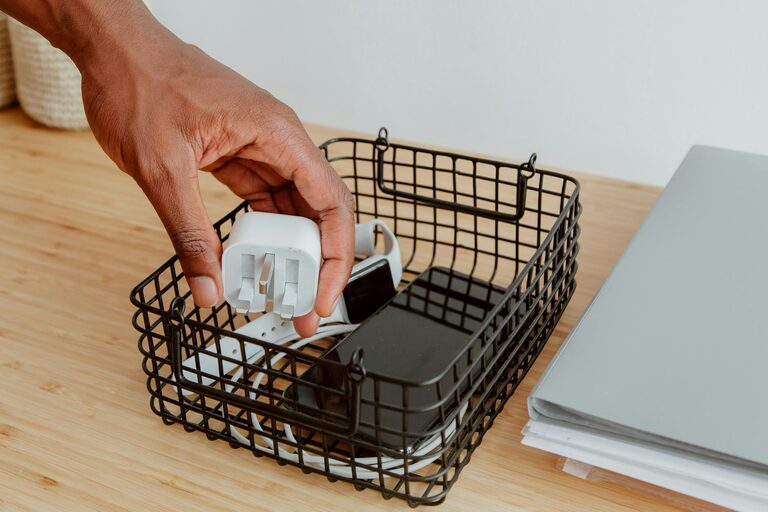
Managing the countless cables and chargers that come with our devices can be a daily challenge. Without proper organization, cords can easily tangle, get lost, or create an unsightly mess. Fortunately, organizing cables and chargers doesn’t have to be complicated or expensive. In this post, we’ll explore practical tips and ideas to keep your cables neat, accessible, and well-maintained.
Why Organizing Cables Matters
A clutter of cables can be more than just an eyesore. It can lead to issues such as:
– Difficulty finding the right cable when you need it
– Wasted time untangling cords
– Increased wear and tear on cables
– Safety hazards such as tripping or overheating
By organizing your cables and chargers, you create a cleaner, safer, and more efficient environment for work and relaxation.
Step 1: Gather and Sort Your Cables
Before organizing, start by collecting all your cables and chargers in one place. This includes phone chargers, USB cords, power cords for laptops, headphones cables, and others.
How to sort your cables:
– Group by type: Separate USB cables, power cords, audio cables, etc.
– Group by device: Keep cables together that belong to the same gadget.
– Check condition: Set aside damaged or old cables to repair or recycle.
Sorting helps you understand what you have and avoid duplicates, ensuring you organize only the cables you truly need.
Step 2: Declutter and Discard
After sorting, take a moment to declutter:
– Toss or recycle cables that are broken or obsolete
– Donate cables that you no longer use but are still functional
– Keep only necessary chargers, especially if your devices use universal charging standards
Reducing your cable collection makes managing them easier and keeps your organization efficient.
Step 3: Choose Cable Organization Solutions
Depending on your space and needs, there are many tools and DIY options to organize cables neatly.
Common cable organizing tools:
– Cable ties and Velcro straps: These help bundle cables neatly and prevent tangling.
– Cable sleeves: Flexible covers that group multiple cables together.
– Cable clips and holders: Attach to surfaces to hold cables in place and prevent slipping.
– Cable boxes: Hide power strips and cables for a cleaner look.
– Label tags: Mark cables to quickly identify their purpose.
DIY organization ideas:
– Use empty toilet paper rolls to separate and hold individual cables.
– Use binder clips attached to your desk edge to hold charging cables.
– Repurpose small jars or containers to store coiled cables vertically.
Step 4: Properly Coil Your Cables
Coiling cables neatly prevents damage and keeps them tangle-free. Here are ways to coil different cables:
– Over-under method: Alternates the direction of the loops to prevent twisting.
– Figure-eight wrap: Good for longer cables, it reduces stress.
– Simple loop: Wrap cables in even circles and secure with a tie or strap.
Avoid tight bends or forcing cables into small loops, which can damage the internal wires over time.
Step 5: Designate Charging Stations
Having a dedicated spot for charging devices and storing chargers keeps your space organized and limits cable clutter.
Tips for creating a charging station:
– Use a multi-port USB charger to reduce the number of outlets.
– Place charging docks or trays on your desk or nightstand.
– Use cable organizers to keep cables neatly arranged on the station.
– Ensure good airflow around devices to prevent overheating.
Creating a consistent charging area keeps your cables in one place and ready to use.
Step 6: Maintain Cable Organization
Organization is an ongoing effort. To keep your cables neat over time:
– Regularly check for cables that can be discarded or replaced.
– Re-coil cables after use instead of just stuffing them in drawers.
– Keep labels intact or update them if necessary.
– Tidy the charging station weekly to avoid build-up.
Simple habits make cable management easier and more sustainable.
Bonus Tips for Specific Spaces
For desks and home offices:
– Use under-desk cable trays or adhesive cable clips.
– Route cables behind monitors with cable management sleeves.
– Hide power strips in cable boxes or organizers.
For travel:
– Use cable organizers or pouches designed to hold multiple cables and chargers.
– Select essential cables to take instead of packing everything.
– Coil cables carefully and secure them with straps.
Final Thoughts
Organizing cables and chargers may seem like a small task, but it greatly improves your daily routines and workspace aesthetics. By sorting, decluttering, coiling, and using the right organizing tools, you can maintain a tidy area free from cable chaos.
Start with a small batch of cables today, and over time, you’ll enjoy a clutter-free, well-organized space that makes charging and using your electronics simple and convenient.