
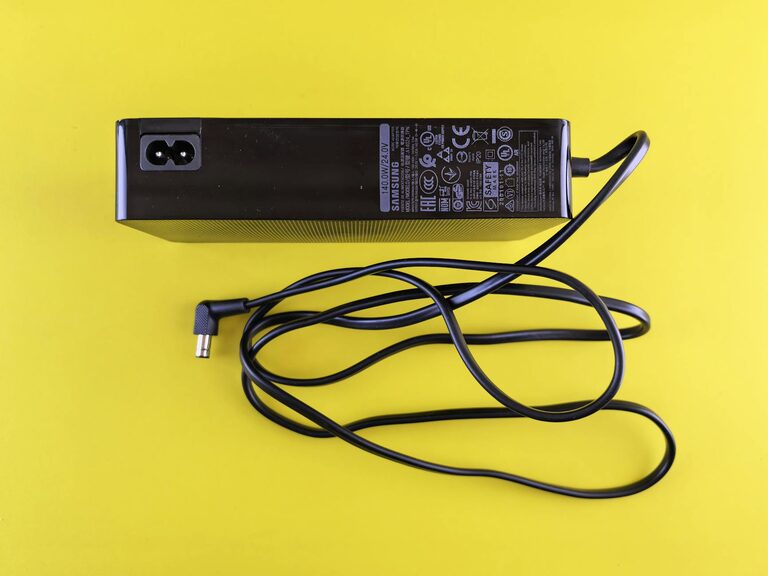
Keeping cables and chargers organized can transform a cluttered space into a calm, efficient area. Whether at your desk, in your drawer, or near your entertainment center, neat cables reduce stress, save time, and protect your devices. If you’ve ever spent minutes untangling cords or searching for the right charger, this guide is for you. Here’s how to organize cables and chargers neatly with easy, practical methods.
Why Organizing Cables Matters
Messy cables are more than just an eyesore. They can cause:
– Frustration when cords get tangled or misplaced
– Wear and tear that damages cables over time
– Difficulty cleaning around your devices
– Potential safety hazards like tripping or overheating
Organizing your cables not only improves aesthetics but also helps extend the lifespan of your electronics and enhances safety.
Step 1: Gather and Sort Your Cables
Start by collecting all your cables, chargers, and adapters in one place. This helps you see what you have and decide what you need to keep or discard.
Tips for Sorting:
– Separate by type: USB cables, power cords, HDMI, earphones, etc.
– Group by device: Phone chargers, laptop cords, gaming accessories.
– Check condition: Toss out frayed or broken cables safely.
– Label if possible: Use masking tape or pre-made labels to mark cables with their device names.
Step 2: Choose Storage Solutions
Depending on your space and cable quantity, pick storage options that suit your needs. You can mix and match these ideas for best results.
Common Cable Storage Options:
– Cable organizers and wraps: Velcro straps, cable ties, or reusable silicone ties keep cables coiled without tangling.
– Drawer dividers or containers: Small boxes or trays help separate cables in drawers.
– Cable management boxes: These enclosures hide power strips and cords on desks or floors.
– Wall hooks or pegboards: Great for hanging frequently used chargers.
– Tech pouches or zip bags: Portable organizers keep travel cables tidy.
Step 3: Coil and Secure Your Cables Properly
Properly coiling cables prevents damage and tangles. Avoid tight loops or sharp bends that can harm the wires inside.
How to Coil Cables:
- **Use the over-under method:** This technique helps avoid twists and extends cable life.
- **Keep coils loose:** About the size of your hand works well.
- **Secure with ties:** Use velcro straps or twist ties to hold coils in place.
Step 4: Declutter Your Charging Station
Charging areas often become chaotic with multiple devices and cords. Here’s how to make yours neat and functional.
Tips for a Tidy Charging Area:
– Use multi-port USB chargers: Charge several devices from one outlet.
– Label charger cables: So you quickly identify which charger belongs to which device.
– Use cable clips or holders: Attach these to your desk or wall to keep cables from slipping.
– Create a designated charging spot: A tray or basket helps contain cables and devices.
– Hide excess cable length: Coil spare cable under the device or inside the cable management box.
Step 5: Maintain Your Organized Setup
Organizing cables isn’t a one-time task. Regular upkeep helps keep things neat.
– Revisit every few months: Remove unused cables and re-label if needed.
– Immediately coil after use: Avoid yards of tangled cords.
– Upgrade storage solutions: Swap worn ties or boxes to improve organization.
Bonus Tips for Specific Situations
Organizing Cables Behind TV or Entertainment Centers
– Use a cable raceway: These plastic channels hide cables along walls.
– Bundle cables: Group power and HDMI cables separately.
– Label both ends: Makes troubleshooting easier.
– Mount power strips: Elevate to avoid dust and make plugs accessible.
For Travel Cables
– Use a compact tech organizer: Many come with elastic loops and mesh pockets.
– Carry minimal cables: Bring just what you need to reduce clutter.
– Label chargers and adapters: Prevent mix-ups during trips.
Final Thoughts
With a little effort and the right tools, organizing cables and chargers becomes easy and rewarding. A tidy setup boosts efficiency and protects your gear. Start small—sorting one drawer or your charging station—and expand from there. Enjoy a clutter-free space that makes charging and using your devices hassle-free!
Happy organizing!