Keeping cables and chargers organized can be a challenge, especially with the number of devices we use daily. Tangled cords not only look messy but can also damage your equipment and make it hard to find the right cable when you need it. This guide will walk you through practical tips and ideas to keep your cables and chargers tidy, accessible, and safe.
Why Organizing Cables Matters
Organizing your cables and chargers has several benefits:
– Saves time: Quickly find the cable you need.
– Prevents damage: Avoid bending and tangling that reduces cable lifespan.
– Improves aesthetics: A clean workspace or living area looks welcoming and organized.
– Enhances safety: Reduces trip hazards and prevents overheating from piled-up cords.
Now, let’s explore how to get your cables under control.
Assess Your Cable Situation
Before organizing, start by gathering all cables and chargers in one place. This helps you:
– Identify duplicates or cables you no longer need.
– Sort cables by type, length, or device.
Consider setting aside any cables that are broken or obsolete for recycling.
Best Tools for Cable Organization
Having the right tools makes the process easier. Some popular cable organization accessories include:
– Cable ties & Velcro straps: Reusable and adjustable to bundle cables neatly.
– Cable clips & holders: Stick onto desks or walls to keep cables in place.
– Cord boxes: Hidden compartments to store power strips and cables.
– Cable sleeves: Neatly bundle multiple cables to look like a single cord.
– Label tags: Add labels to identify cables quickly.
Step-by-Step Cable Organizing Methods
1. Untangle and Separate
Start by straightening each cable to remove knots and tangles. Lay them out so you can see the whole length. Group cables by their use:
– Chargers for phones and tablets
– Computer cables
– TV and entertainment system cords
– Miscellaneous cables
2. Coil Cables Properly
Coiling cables correctly prevents damage and tangling. Use the “over-under” method or gently wrap cables in a circular loop without twisting. Secure the coil with a cable tie or Velcro strap.
3. Label Your Cables
Use simple labels to mark each cable with its function or the device it belongs to. You can use printed labels, masking tape with handwriting, or color-coded tags. This speeds up identification, especially with many similar cables.
4. Use Cable Clips or Holders
Attach cable clips to the edge of desks or walls where you often plug in devices. These keep charging cables accessible but off your workspace, reducing clutter and tangling.
5. Conceal Power Strips and Adapters
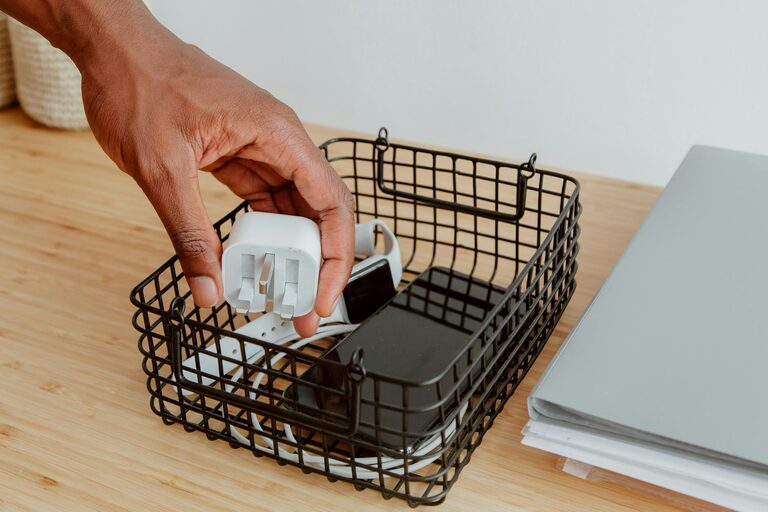
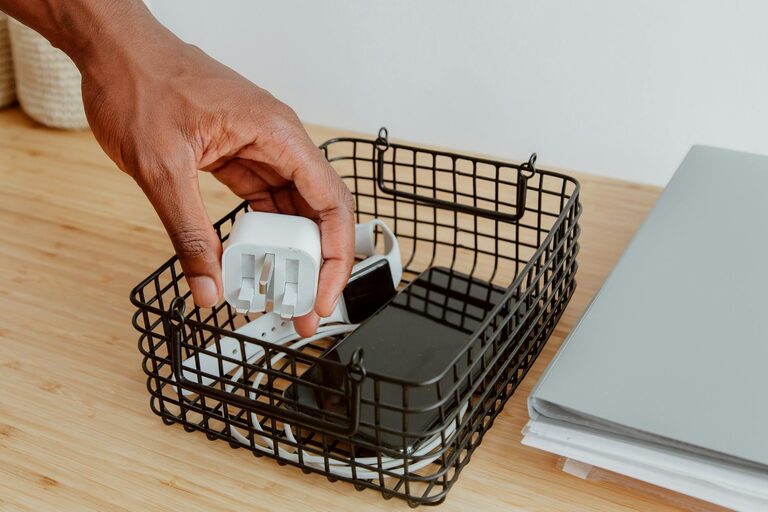
Power strips and bulky adapters can look cluttered on the floor or desk. Use cord boxes or under-desk trays to hide them. This also protects kids and pets from wires.
6. Bundle and Protect Multiple Cables
When several cables run to one device or area, bundle them together in a cable sleeve or spiral wrap. This gives a neat appearance and prevents cables from spreading out.
7. Organize for Portability
For chargers and cables you take on the go, consider a travel organizer with compartments. This keeps cables separate and untangled in your bag.
Maintenance Tips to Keep Cables Neat
– Regularly check cables to untangle and re-secure ties.
– Avoid over-tightening ties which can damage cables.
– Store rarely used cables in labeled boxes or drawers.
– Unplug and coil cables after use to prevent knots.
DIY Ideas for Cable Management
If you like a hands-on approach, try these simple DIY ideas:
– Binder clips: Clip onto the desk edge and thread cables through.
– Toilet paper rolls: Use these to coil and store cables inside drawers.
– Magnetic strips: Mount on a wall or desk and attach cables with small magnets.
– Use old CDs: Wrap cables around a CD spindle for a tidy coil.
Final Thoughts
Organizing cables and chargers doesn’t have to be overwhelming. By evaluating your cable needs, using simple tools, and establishing habits for maintenance, you can keep your space tidy and functional. Whether at home, in your office, or while traveling, these techniques make dealing with cables less frustrating and more efficient.
Take a little time this weekend to tackle your cable chaos—you’ll be glad you did!